로컬 크로마키·CMYK 편집툴 Filtering Filter
https://uplifestyle.tistory.com/819 2026. 2. 3.
Filtering Filter (Secure Single-File Tool)
Filtering Filter — CMYK Match + Chroma Key + Pixel Liquify Secure v2.5 (Tistory + Zoom) Local-only · No uploads · No tracking Ready. Upload files or run the demo. Everything runs locally in your browser. Single View (Result Only) 100% 125% 150% Quick g
uplifestyle.tistory.com

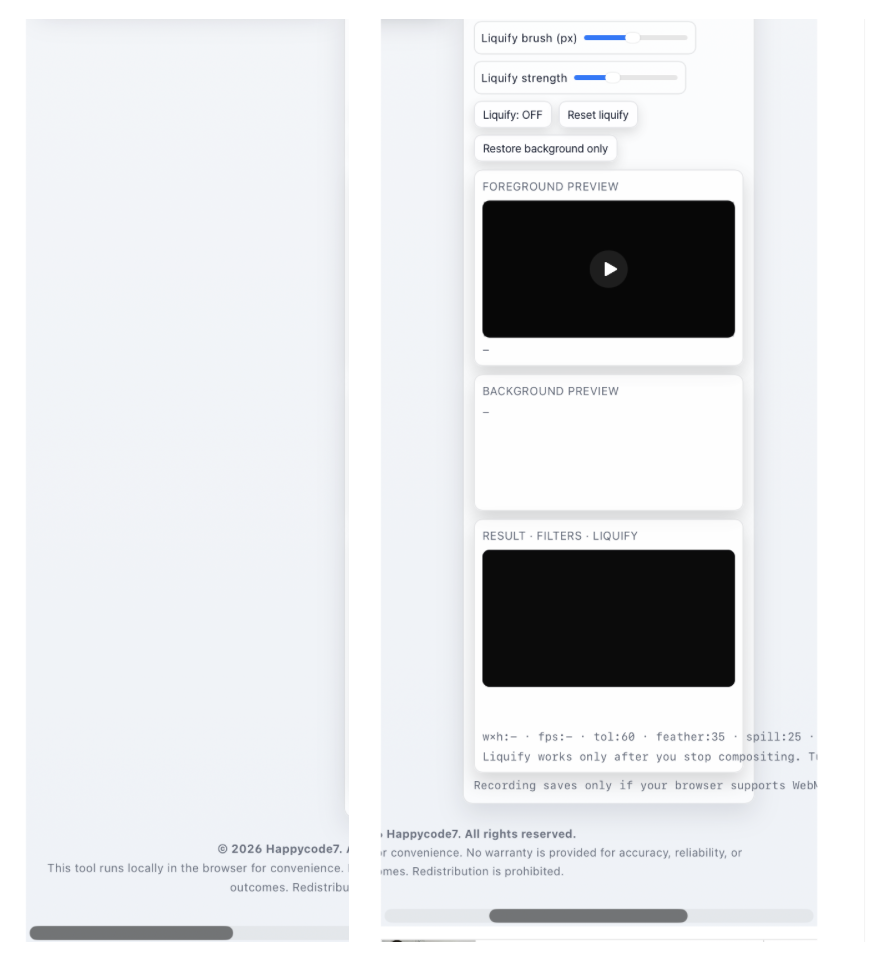
Filtering Filter is a privacy-focused media editing tool designed to run directly in a local browser environment.
It brings together CMYK matching, chroma key compositing, and pixel liquify editing in a single workflow while keeping the overall processing structure clear and straightforward. The interface reflects a Local-only · No uploads · No tracking approach, and the product is presented as a browser-based workflow where editing happens locally and session-related working state is cleared when the page is closed. In practice, Filtering Filter is built around on-device editing rather than account-based or upload-dependent processing.
One of its most practical strengths is not exaggerated complexity, but a workflow centered on file control and privacy-conscious execution. By reducing external dependencies and keeping processing local to the browser, the tool is positioned for users who want to work with sensitive drafts, internal review assets, or pre-release media samples without relying on external upload workflows. The most accurate way to describe the product is not through inflated security language, but through its direct, browser-contained editing structure and user-controlled workflow.
Its input handling is also intentionally scoped. Images and video can be loaded within supported formats, while unsupported or excessively large files are restricted early in the process. That kind of controlled input range is not just a convenience feature; it also helps maintain a more predictable browser-based editing environment and supports a clearer processing boundary for users.
The workflow itself is practical for visual editing tasks. Users can calculate an average CMYK reference from a source image, apply matching to another image, and export the result. The tool also supports chroma key compositing with foreground video plus background image, background video, or preset backgrounds, along with direct control over major adjustment settings. From there, pixel liquify editing can continue in the same environment, making it possible to move from color alignment to background replacement and finishing adjustments within a single browser-based flow.
At this stage, Filtering Filter stands out not by chasing excessive feature sprawl, but by offering a practical editing environment built around local processing, no-upload handling, controlled input scope, and user-side control. Where browser support is available, quick preview recording or sample output capture can also remain within the same environment, making it a useful option for users who want a more self-contained media editing workflow without unnecessary external transfer.
Filtering Filter는 로컬 브라우저 환경에서 작동하도록 설계된 프라이버시 중심 미디어 편집 도구입니다.
이 제품은 CMYK 매칭, 크로마키 합성, 픽셀 리퀴파이 편집을 하나의 작업 흐름 안에서 연결하면서도, 처리 구조를 단순하고 명확하게 유지하는 데 초점을 두고 있습니다. 인터페이스에는 Local-only · No uploads · No tracking 원칙이 반영되어 있으며, 작업은 브라우저 내부에서 이루어지고 세션 종료 시 관련 작업 상태가 정리되는 구조로 안내됩니다. 즉, Filtering Filter는 외부 업로드나 계정 기반 처리보다 사용자 기기 내 로컬 편집 흐름에 무게를 둔 제품입니다.
이 도구의 강점은 복잡한 확장성보다 파일 통제성과 프라이버시를 우선하는 실행 방식에 있습니다. 외부 의존을 줄인 로컬 처리 구조를 바탕으로, 사용자는 민감한 시안, 내부 검토용 미디어, 사전 공개 전 샘플처럼 외부 전송을 최소화하고 싶은 작업을 보다 부담 없이 다룰 수 있습니다. 제품 설명 역시 과장된 보안 표현보다, 브라우저 안에서 직접 편집이 이루어지는 구조와 사용자 중심의 작업 흐름을 중심으로 소개하는 것이 가장 적절합니다.
입력 처리 범위도 비교적 명확합니다. 이미지와 영상은 지원 형식 안에서 선택적으로 불러올 수 있으며, 과도한 용량이나 지원되지 않는 파일은 초기에 제한되도록 설계되어 있습니다. 이런 방식은 단순한 편의 기능을 넘어, 브라우저 기반 편집 환경에서 예상 가능한 처리 범위를 유지하고 작업 흐름을 안정적으로 가져가기 위한 설계 요소로 볼 수 있습니다.
실무 활용성도 분명합니다. 사용자는 기준 이미지를 바탕으로 평균 CMYK 값을 계산하고, 다른 이미지에 매칭을 적용한 뒤 결과를 내보낼 수 있습니다. 또한 전경 영상과 배경 이미지, 배경 영상, 프리셋 배경을 조합하는 크로마키 합성을 지원하며, 주요 보정 항목을 직접 제어할 수 있습니다. 이후 픽셀 리퀴파이 편집까지 이어서 사용할 수 있어, 브라우저 안에서 색상 기준 정렬, 배경 교체, 후반 보정까지 연결되는 일관된 편집 흐름을 제공합니다.
현재 시점에서 Filtering Filter의 강점은 기능을 과하게 넓히기보다, 로컬 처리·업로드 없는 편집·명확한 입력 범위·사용자 통제성을 중심으로 실용적인 작업 환경을 제공한다는 점에 있습니다. 브라우저가 지원하는 경우에는 빠른 미리보기 저장이나 샘플 결과 확보까지 같은 환경 안에서 이어갈 수 있어, 별도 업로드 없이 빠르게 결과를 확인하고 정리하려는 사용자에게 적합한 선택지가 될 수 있습니다.
https://uplifestyle.tistory.com/429 2025. 7. 6.
필터링 필터 – CMYK + 크로마키 (Secure)
필터링 필터 – CMYK + 크로마키 + 필터/유동화 확장 © 2025 Happycode7 | 무단 복제·재배포·역분해 금지 필터링 필터 – CMYK + 크로마키 + 픽셀유동화 Secure v2.5 (Tistory+Zoom) 로컬 처리 · 외부 전송 없음
uplifestyle.tistory.com
https://blog.naver.com/upttt_/224214569544
How to Add Web App to Your Home Screen
How to Add Web App to Your Home Screen For iPhone Open the website in Safari or Chrome o...
blog.naver.com
#로컬편집툴 #보안편집도구 #업로드없는편집 #크로마키편집 #CMYK매칭 #브라우저기반편집 #영상배경합성 #프라이버시중심 #로컬브라우저툴 #그린스크린제거 #LocalEditor #PrivacyFirst #NoUploadTool #ChromaKeyEditor #CMYKMatching #BrowserBasedEditor #GreenScreenRemover #SecureMediaTool #LocalProcessing #NoTrackingTool #ローカル編集ツール #クロマキー編集 #アップロード不要 #プライバシー重視 #ブラウザ編集 #editorlocal #edicionsegura #sinSubida #cromakey #privacidadprimero #editorlocal #edicaosegura #semupload #chromakey #privacidadeprimeiro #크로마키 #그린스크린 #영상편집툴 #보안도구 #로컬처리 #ChromaKey #GreenScreen #VideoEditor #NoUpload #PrivacyTool #クロマキー #グリーンスクリーン #動画編集 #sinSubida #editorseguro #semupload #editorseguro #BrowserEditor #CMYKTool #LocalOnly
로컬편집, 보안편집, 업로드없음, 크로마키, 그린스크린, 영상합성, 배경교체, CMYK매칭, 색상보정, 브라우저편집, 프라이버시중심, 민감파일편집, 무설치편집, 로컬처리툴, 실무편집툴, LocalEditor, SecureEditor, NoUpload, ChromaKey, GreenScreen, VideoCompositing, BackgroundReplacement, CMYKMatching, ColorCorrection, BrowserEditor, PrivacyFirst, NoTracking, LocalProcessing, MediaEditingTool, WorkflowTool, ローカル編集, セキュア編集, アップロード不要, クロマキー, グリーンスクリーン, 背景合成, CMYK調整, ブラウザ編集, プライバシー重視, editorlocal, edicionsegura, sinSubida, chromakey, pantallaverde, reemplazodefondo, ajusteCMYK, editornavegador, privacidadprimero, edicaolocal, edicaosegura, semupload, telaverde, trocadefundo, ajusteCMYK, editornavegador, privacidadeprimeiro


